
Your Ollama alternative: match the runtime to the load
Match LocalAI, llama.cpp, vLLM or Lemonade to a home lab, coding agent or shared GPU without trusting universal benchmark claims.
The short version
- The right Ollama alternative depends on whether control, hardware tuning, concurrency, or desktop convenience is the bottleneck.
- vLLM won three of four DGX Spark single-stream comparisons, while llama.cpp gained 48% after removing a transfer.
- Readers should benchmark representative repositories, overlapping requests, cancellations, memory recovery, and long-context behavior on their own hardware.
On an NVIDIA DGX Spark, vLLM beat Ollama in 3 of 4 single-stream model comparisons using the same prompts and harness. Ollama won the fourth, which is why choosing an alternative from vibes and Reddit charts is a terrible idea.
Ollama becomes a systems problem when a second user arrives. Add long context, a coding agent hammering tools all afternoon or a shared GPU, and the cute one-command setup starts making decisions you wanted to make.
I learned this the founder way: ship first, read the manual during the small fire. My home setup works because its job is narrow: one machine, predictable traffic, nobody from sales queued behind a robot rereading a repository. Expose that box as a team API and my weekend becomes unpaid infrastructure consulting.
An alternative must fix a named bottleneck. LocalAI gives me a managed self-hosted AI model API with stricter route control. llama.cpp exposes hardware knobs directly. vLLM handles busy GPUs. Lemonade packages multiple backends with less desktop ceremony.
No source has benchmarked all five runtimes with identical models, quantization, prompts, hardware, cache state and concurrency. Anyone declaring a universal winner is selling fake certainty.
LocalAI turns a home lab into a proper service
I choose LocalAI when several applications need one private endpoint and I want policy enforced before prompts reach the model. Owning the weights is only part of self-hosting. The server still controls access, backend routing and conversations longer than Sunday lunch at my nonna’s house.
LocalAI authenticates its HTTP routes and permits anonymous access through an explicit public registry. Because the old protected-prefix approach could leave unprefixed aliases unauthenticated, the project replaced it with deny-by-default checks. Requests pass that gate before LocalAI resolves the configured model and dispatches work to a backend. Health checks, login flows and selected bootstrap routes stay public only when deliberately registered; everything else requires credentials. In a home lab, one careless port-forward can publish an expensive API to the internet. The internet loves gifts.
Long agent sessions bring another problem. With optional context compression enabled, LocalAI filters PII and applies its Assistant or MCP prompt injection before processing history. A configured LocalAI model compresses older complete turns while preserving leading prompts and recent messages. Complete tool-call units remain paired with their results, avoiding a saved function call with a discarded answer. The compressed history replaces the full transcript during inference, freeing context after an agent spends an hour arguing with a test suite. But the extra model call adds work and may remove useful detail. Compression is disabled by default, and I would leave it off until a repository test shows exactly what disappears.
LocalAI has published no matched latency, throughput, memory or quality measurements for compression, routing or durable model loading. I can call it a better control point. Calling it faster requires data that does not exist.
For one model on one laptop, this control plane is a blazer worn to make espresso. For a shared household server or private team endpoint, I want the blazer.
llama.cpp exposes the knobs that actually hurt
For a home-lab server, I choose llama.cpp when hardware control matters more than model-management polish. `llama-server` exposes context size, cache precision, thread count, batching and GPU offload without translating my intentions through another layer. Wonderful, until I build an artisanal performance disaster from locally sourced flags.
Weights and the KV cache compete for memory. Weights take space at load time; each incoming token adds attention keys and values needed for later decoding. Larger requested contexts reserve more cache, and parallel slots multiply demand. When the allocation no longer fits on the GPUs, some layers move into system memory and run on the CPU. The GPUs wait on that slower path, producing the surreal graph where expensive cards idle during an active request. I start with the context the application actually uses and inspect where every layer landed. Copying the model-card maximum into a config turns accelerators into decorative lighting.
llama.cpp has shown how one bad transfer can kneecap a fast server. Its high-concurrency sampling path copied the full logits matrix from device to host and sampled on the CPU, creating gaps in GPU activity. Moving sampling into the backend removed that round trip. In a controlled Qwen2.5-7B test on one RTX 5090, throughput rose about 48%, from roughly seven hundred to just over a thousand tokens per second. The test used thirty-two server slots, greedy decoding and no prompt cache. That supports the mechanism, not a speed guarantee for the mystery box humming under my desk.
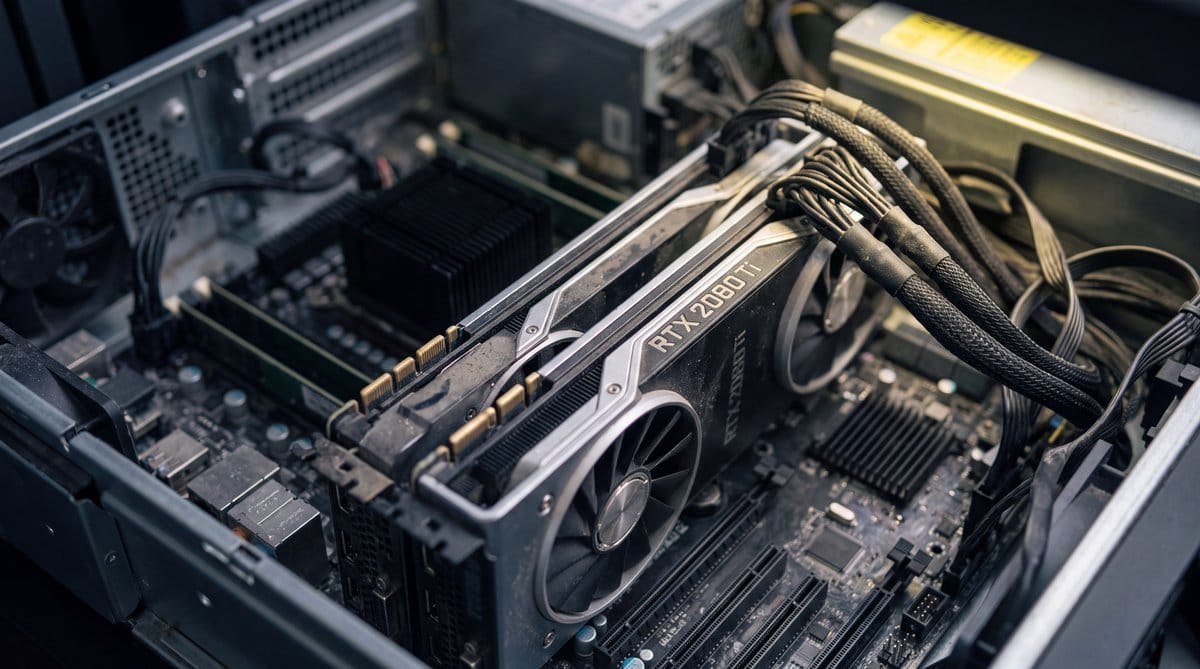
Multi-GPU inference adds another trap. llama.cpp’s default layer split distributes layers and KV state across cards as a pipeline, sending one request through them sequentially. Row mode and experimental tensor modes split work within a layer so cards operate in parallel. They also move more data between devices, and PCIe can collect the bill before dinner ends.
MLuc24 put it neatly in an August llama.cpp discussion:
Worth measuring rather than assuming it wins: two 2080 Ti over PCIe exchange a lot more data per token in row mode, and on some setups the extra transfer costs more than the parallelism gains.
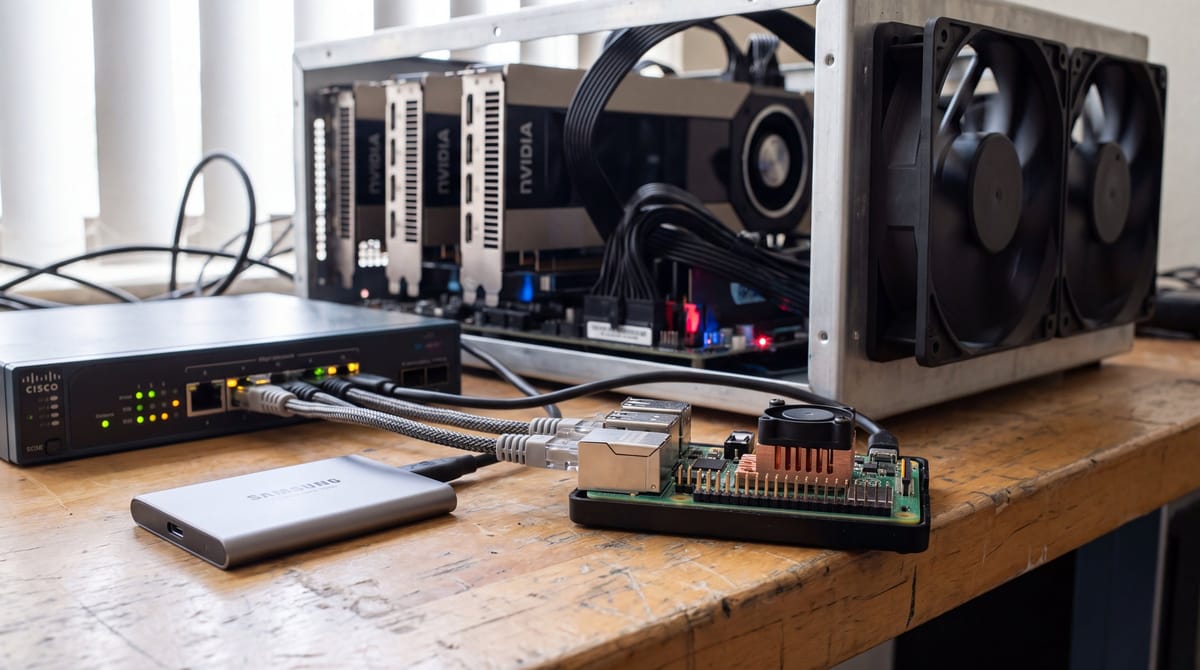
A Raspberry Pi still has a place in my home server setup: API glue, embeddings, small classification jobs and home automation with a compact GGUF model. A large coding agent belongs elsewhere unless waiting for tokens is your mindfulness practice.
vLLM earns its complexity when requests overlap
vLLM is my Ollama alternative for a team API. It prepares serving kernels before the first request, supports model-specific optimized paths and spreads execution across devices. Setup takes more engineering, but so does every second user.
Overlap exposes the difference. A desktop launcher can feed one sequence through a model and feel quick. A serving engine must keep useful work ready as requests arrive, finish or stall. vLLM prepares kernels, groups compatible work and manages model state throughout the serving path. Distributed deployments can separate components or divide the model across hardware, while fault-tolerant machinery limits damage from a failed worker. That creates version and model-support chores before launch. Once a queue forms, aggregate throughput decides whether the endpoint stays useful.
Sergio Silva’s DGX Spark comparison used the same prompts and harness for Ollama and vLLM, discarded warm-up runs and matched Ollama Q4 models with each model’s best available 4-bit vLLM build. As I said upfront, vLLM won most single-stream comparisons. Silva limits his conclusion to models with a good quantized vLLM build, an important concession. The claim that Ollama or llama.cpp always wins for one interactive user needs a hardware-and-model footnote.
Silva’s warning belongs above every local-AI benchmark chart:
Any claim of the form "X is faster than Y" that does not say which of these it means is not a claim.
Prefill speed determines how fast a coding agent digests a repository. Decode speed shapes streaming after the first token. Aggregate throughput governs a full queue. Charts that silently swap among them are numerology with a GPU.
Speculative decoding complicates things further. DSpark uses a lightweight draft path to propose tokens, then has the target model verify several candidates together. Verification shares the cost of loading target weights, which dominates much of decoding because those weights repeatedly cross memory. A confidence scheduler trims suffixes when verification looks unlikely to pay. Yet high token acceptance may bring only modest gains when verification activates more experts and moves more weights, especially in mixture-of-experts models. Acceptance rate alone cannot tell me how much faster the box feels.
Coding agents expose every weak layer
The best Ollama model for coding is the model-runtime pair that survives my repository test without exhausting memory or mangling tool calls. Leaderboards suggest candidates. They cannot reveal whether a server has the parser, kernels or cache behavior for a long agent session.
A coding request touches everything. The runtime parses the model format, places quantized weights in available memory and chooses kernels for each operation. It prefills repository context, generates a tool call, receives the result and carries that history into the next request. Reusing a shared prefix lets later steps skip the same system prompt and source files. Without reuse, every tool step repeats a full prefill. Time to first token grows with the conversation even when the work looks identical. A model can feel snappy during setup and glacial after an afternoon of failed tests.
An open Ollama MLX report shows the ugly version. Using the official Qwen3.8 27B pack on an M1 Ultra, observed throughput dropped from about 26 tokens per second early in a long agent session to roughly 3 late in it. The reporter saw no prefix-cache reuse between requests, suggesting the accumulated history prefills again each time. The issue remains open, and available sources do not establish when cross-request reuse will ship or how much it will help other models.
Containers can fail more absurdly. One Ollama report found thread selection following the host core count rather than the container’s CPU quota. Spin-wait barriers hit cgroup throttling, crushing generation on the same small Llama Q4 model. Matching `num_thread` to the four-CPU allowance increased throughput about 45 times, from roughly 0.3 to 12 tokens per second. Same weights, host and minute. One config value made the machine usable.
Lemonade is the easier desktop option when I want llama.cpp and other backends behind stable server endpoints. It includes a model catalog, aliases and platform-specific installers or embeddable binaries. My application keeps calling the same model name while I swap the machinery underneath. Its release material offers no matched comparison with Ollama or direct llama.cpp on AMD, Apple and CPU targets, so convenience is the honest pitch.
I test coding setups on one representative repository. The agent must make a multi-file change, call tools, run tests and recover after I provide a failure. I watch first-token delay and peak memory, then inspect the patch because a fast wrong answer is just a more efficient bug generator. Finally, I send two requests, cancel the longer one and see whether memory returns.
That cancelled second request decides what stays on my server. If the runtime holds the memory hostage, the model can be a genius; it is still leaving before dinner.
Frequently asked questions
What is the best Ollama alternative?
The best Ollama alternative depends on the bottleneck. LocalAI suits controlled private endpoints, llama.cpp provides direct hardware tuning, vLLM handles overlapping requests on busy GPUs, and Lemonade simplifies desktop access to multiple backends. Matching the runtime to representative workloads is more reliable than universal benchmark rankings.
What is the best Ollama model for coding?
The best Ollama model for coding is the model-runtime pair that completes a representative repository task without exhausting memory or breaking tool calls. Evaluation should include multi-file changes, tests, failure recovery, first-token delay, peak memory, cancellation behavior, and whether memory returns after the request ends.
Can a Raspberry Pi work as a home server for local AI?
A Raspberry Pi works as a home server for API glue, embeddings, small classification jobs, home automation, and compact GGUF models. Large coding agents should run elsewhere because their memory and generation demands make token waits impractical on Raspberry Pi hardware.
Sources
- LocalAI 4.9.0 Release
- llama.cpp v0.1.2
- vLLM v0.27.0 Release Notes
- vLLM v0.27.1
- Lemonade v11.6.0
- LM Studio 0.4.21